Appearance
Discovering Content with Explore
The Explore page uses AI-powered recognition to help you browse your photo library by people and places, offering a different way to rediscover your memories.
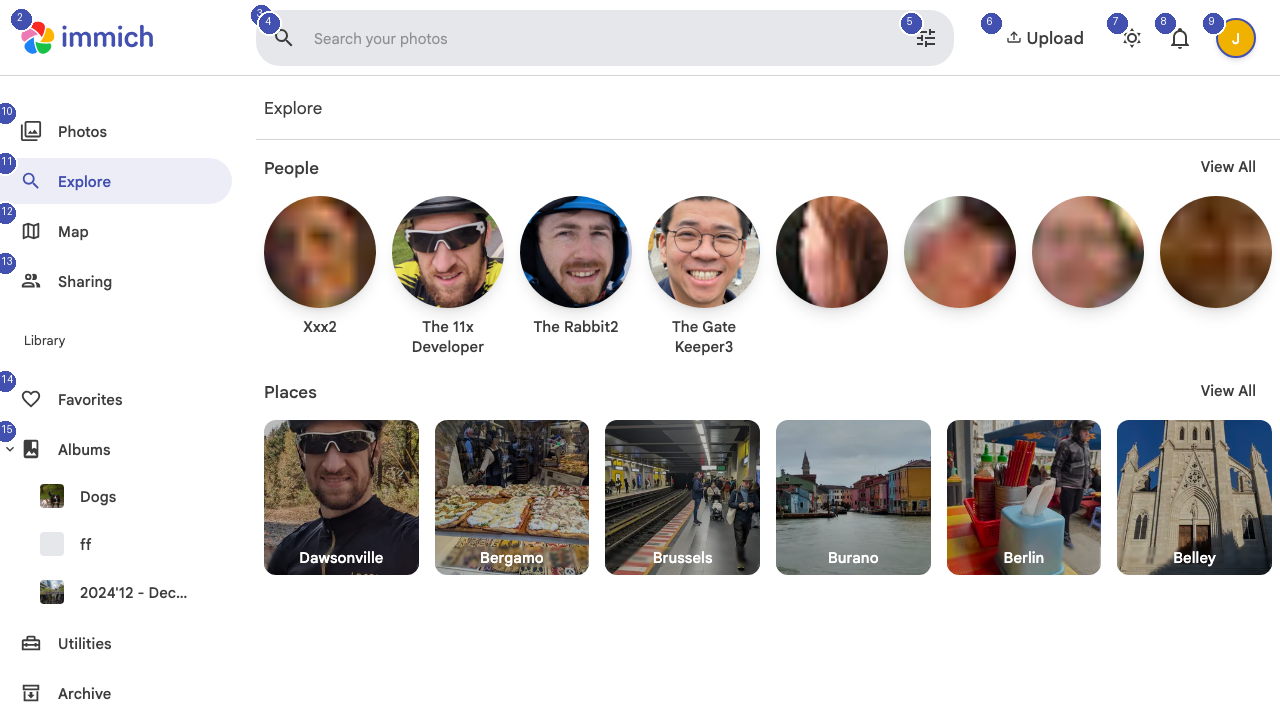
People
At the top of the Explore page, Immich displays recognized faces from your photo library. Each person appears as a circular thumbnail with their name below. Immich uses facial recognition to automatically group photos of the same person together.
Click View All next to the People heading to see every recognized person. Click on any person's face to view all photos containing that individual.
Places
Below the People section, the Places grid shows locations where your photos were taken, extracted from GPS metadata embedded in your images. Each place card displays a representative photo and the location name (for example, "Spencerville", "Boston", "Europe").
Click View All to browse all detected locations, or click any place card to see every photo taken at that location.
How It Works
Immich processes your photos in the background using machine learning models:
- Face detection identifies and clusters similar faces across your library
- Geocoding converts GPS coordinates into readable place names
- Object detection categorizes photos by content type
This processing happens entirely on your server — no data is sent to external services.