Appearance
Customizing Your Account Settings
The User Settings page lets you personalize your Immich experience, manage your account, and configure preferences for how your photos are displayed and processed.
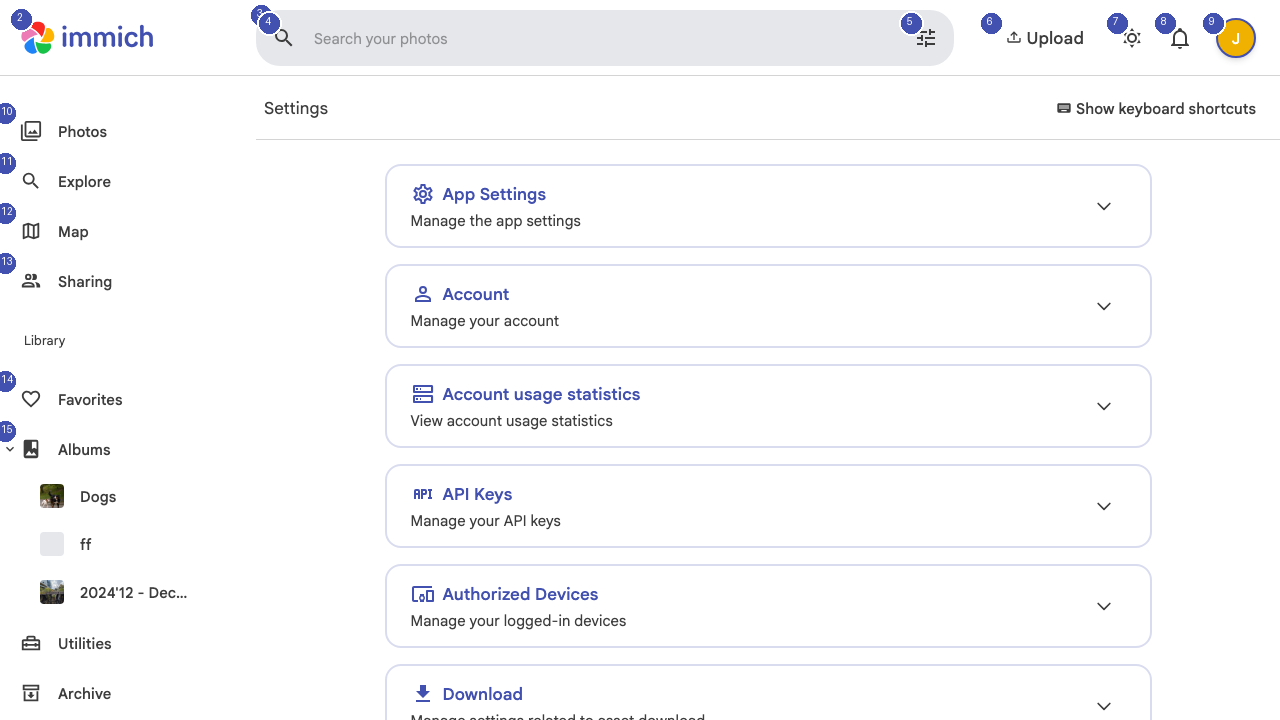
Profile Settings
Update your display name, email address, and profile photo. Your display name appears when sharing albums and in partner sharing views.
Appearance
Customize how Immich looks and feels:
- Theme — Switch between light and dark modes, or set it to follow your system preference
- Language — Change the interface language
You can also toggle the theme at any time using the sun/moon button [6] in the top navigation bar.
Memory Settings
Immich creates "Memories" — photo slideshows from past dates (similar to "On This Day" features). Configure which types of memories you want to see and how far back they should go.
Notification Preferences
Control which notifications you receive, such as alerts for new shared albums, partner activity, or background processing completion. Click the notification bell [6] in the top navigation to view recent notifications.
Account Security
Manage your account security settings:
- Change password — Update your login credentials
- API keys — Generate or revoke API keys for third-party integrations
- Sessions — View and terminate active login sessions
Storage Information
View how much storage space your photos and videos are using on the server. This section shows your total usage and any storage quotas set by the server administrator.